---
description: Adding your WOOX account
---
# Add a WOOX Account
Follow these instructions:\
1. Login to your [WOOX ](https://x.woo.org)account
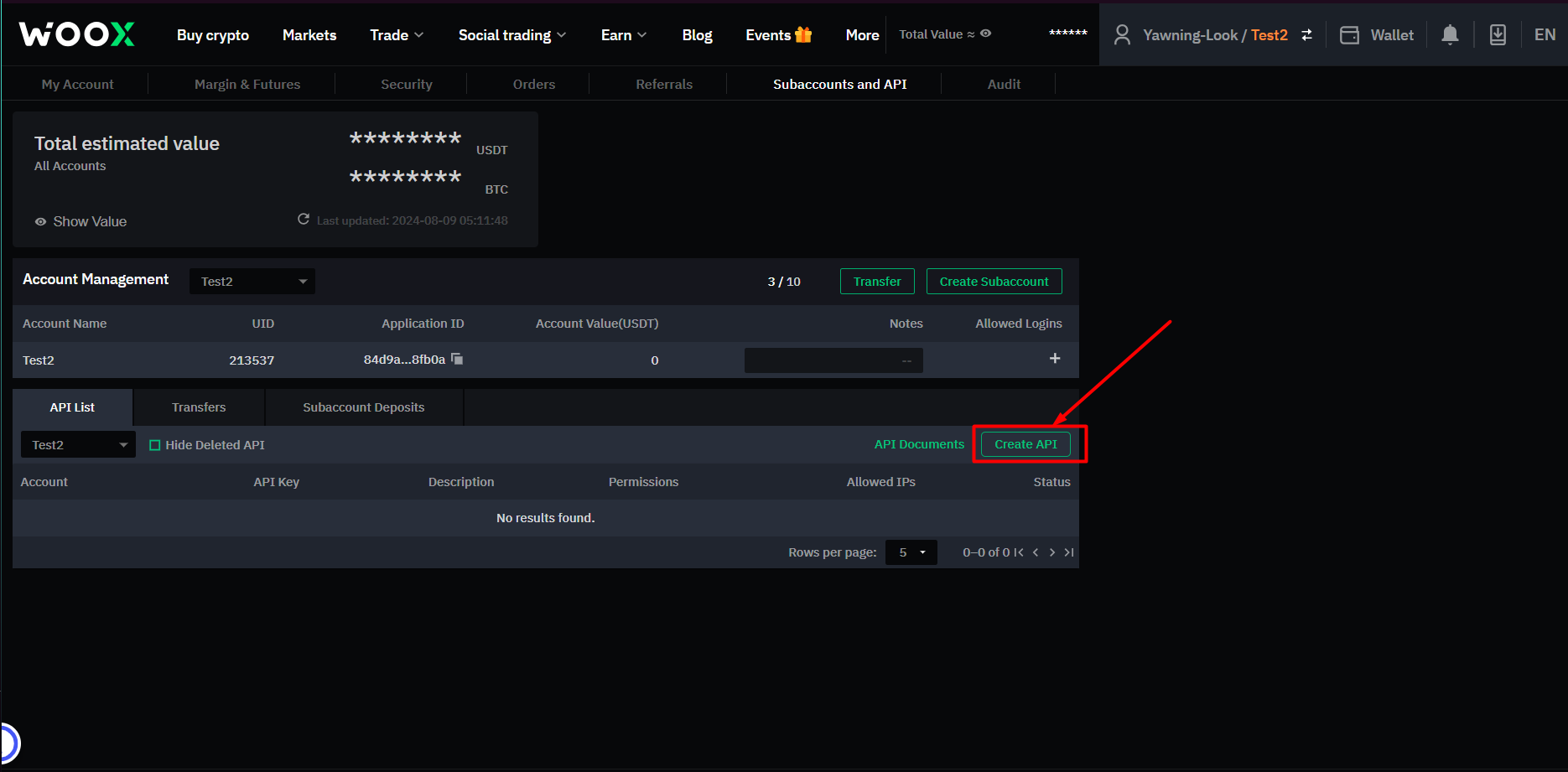
2. Go to the [Subaccounts and API Page](https://x.woo.org/en/account/sub-account)
3. Click "Create API"\
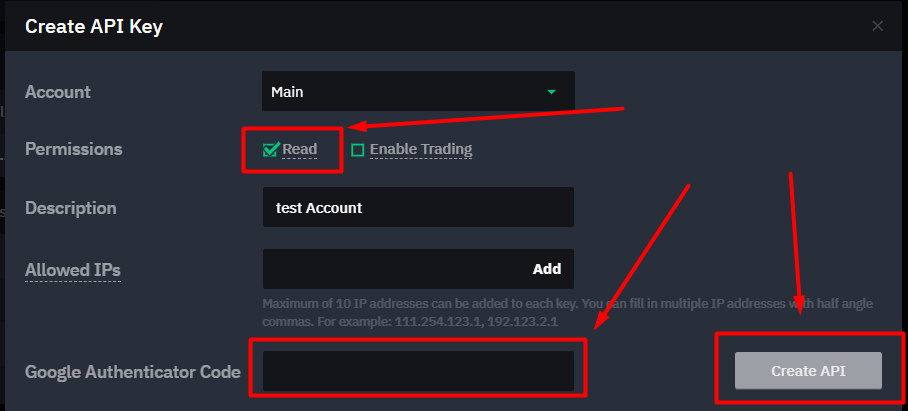
4. Select only the "Read" permission
5. Input what subaccount the API Keys should be tied to and a description for the API Keys i.e "For TradeStream"
{% hint style="info" %}
The API Keys will only be able to get records for the subaccount that you select during the API Key creation process
{% endhint %}
6. Input your 2FA Authenticator code
7. Click "Create API" and copy paste the API Keys into TradeStream\